

























Application & Website Migrations
We move live websites, online stores and applications to new technologies without putting the business at unnecessary risk. We migrate WordPress and other CMSs, older frameworks, databases, and mobile and web applications, among others. When migrating websites, we also take care of SEO — we analyze the site structure, prepare a URL map and 301 redirects, and monitor indexing and visibility after launch.
Companies that trusted us
The basics
What a migration is and when it's really worth doing
A migration means moving a working system — a website, application, store or CMS — to a different technology, provider or architecture while keeping what works. Replatforming is a variant where the entire platform changes, for example when a store moves from one engine to another. A migration is worth considering above all when the current technology is no longer supported, maintenance costs are rising, developing the product is getting harder, or performance and architecture are starting to hold the business back. A migration alone doesn't guarantee new features or higher sales. Its main purpose is to create a more stable foundation for further development.
When migrating a website, one of the biggest risks is losing some of your organic visibility. That's why, before launch, we analyze the current URLs, traffic and site structure and plan the redirects.
See the migrations we carried out for clients

„Completion of the mockups, successful development and launch of the e-commerce website. We were impressed with their knowledge and commitment. At every phase of the project, their team was ready to answer all our questions and provide valuable suggestions.”
Tomasz Szpin — Director, GlobalParts-UK Limited
Review from Clutch
How we work
How we move a live system without losing what works
We start with an inventory: a complete list of URLs, content, integrations, forms and whatever brings in traffic and conversions. Without that list, a migration is guesswork. In parallel, we create a redirect map from old URL → new URL, including URLs nobody remembers anymore but that still get visits. We build the new system alongside the old one, in a separate environment, and run it on production data. The switchover happens only when a page-by-page comparison and a check of critical paths come back clean. The old environment stays operational for an agreed period, so rolling back remains possible.
After the switchover, we monitor 404 errors, indexing and traffic — the first few weeks decide whether the migration was neutral for visibility. On your side, we need access, a list of critical processes and someone to sign off. On our side are the plan, the move, the redirects and post-launch monitoring.
The timeline depends on the volume of content, the number of integrations and whether the data can be moved automatically or needs cleaning up — the latter usually takes longer than the migration itself.
Decisions
Decisions that determine whether the migration goes unnoticed by users
Move it one-to-one or rebuild along the way. Combining a migration with a major redesign and new features increases the number of variables in the project. That's why it's often safer to move and stabilize the system first, and only then develop the product further. The final strategy, however, depends on the scale and nature of the project.
Switch over all at once or in stages. Smaller systems can often be switched over in a single release. For larger applications and websites, it's worth considering a phased migration, which makes testing easier and limits the scale of any problems.
What happens to the history. Decide early whether old content, accounts and orders move over in full, in part, or stay in a read-only archive. It's a decision about cost, not technology — and it's better made on paper than in the middle of moving data.
What not to do. Don't shut down the old environment on switchover day. Don't change URLs without a complete set of redirects. And don't migrate without a backup you can actually restore the pre-launch state from.
Scope
Migration without stopping the business
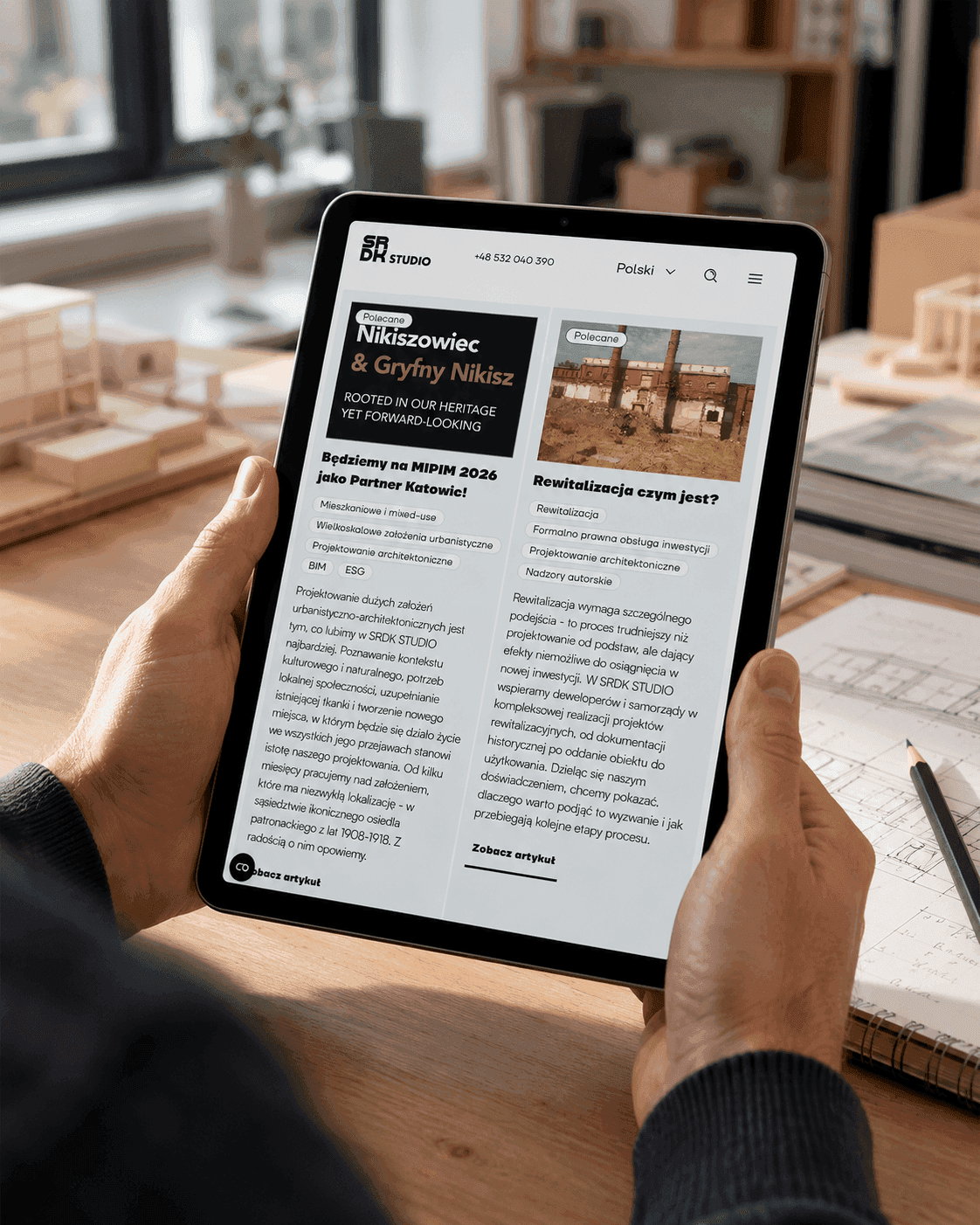
For us, migration means moving a live product without bringing the business to a halt: SRDK Studio moved from WordPress to the Strapi headless CMS, ending up with a website 60% faster, and SkinApe moved from a mobile app to a web app while keeping its users and business logic.
When migrating websites, we protect SEO: 1:1 URL mapping, 301 redirects and visibility measurement before and after the switchover. We migrate websites between CMSs, applications between frameworks and data between databases — including from systems that no longer have documentation or original authors.
Technologies we work with
- Migration path
The most common migration path: content to Strapi, front end to Next.js, data to PostgreSQL — keeping URLs and redirects so you don't give up your search rankings.
- Environments
We run the old and new environments side by side in Docker — switching over means rerouting traffic, not a weekend of downtime.
Process
From analysis to post-launch monitoring
1. Inventory - We review the current system, data, URLs, content and integrations.
2. Mapping and migration - We decide what goes where, and prepare the scripts and redirects.
3. Testing and a trial migration - We verify the data, features, integrations and key user paths.
4. Switchover and monitoring - We launch the new system and keep an eye on how it performs after launch.
Common directions
From WordPress, from a monolith, from an old e-commerce platform
WordPress → headless CMS. The editorial team keeps a convenient panel, and the website gets dramatically faster. SRDK Studio moved from WordPress to Strapi with a Next.js front end.
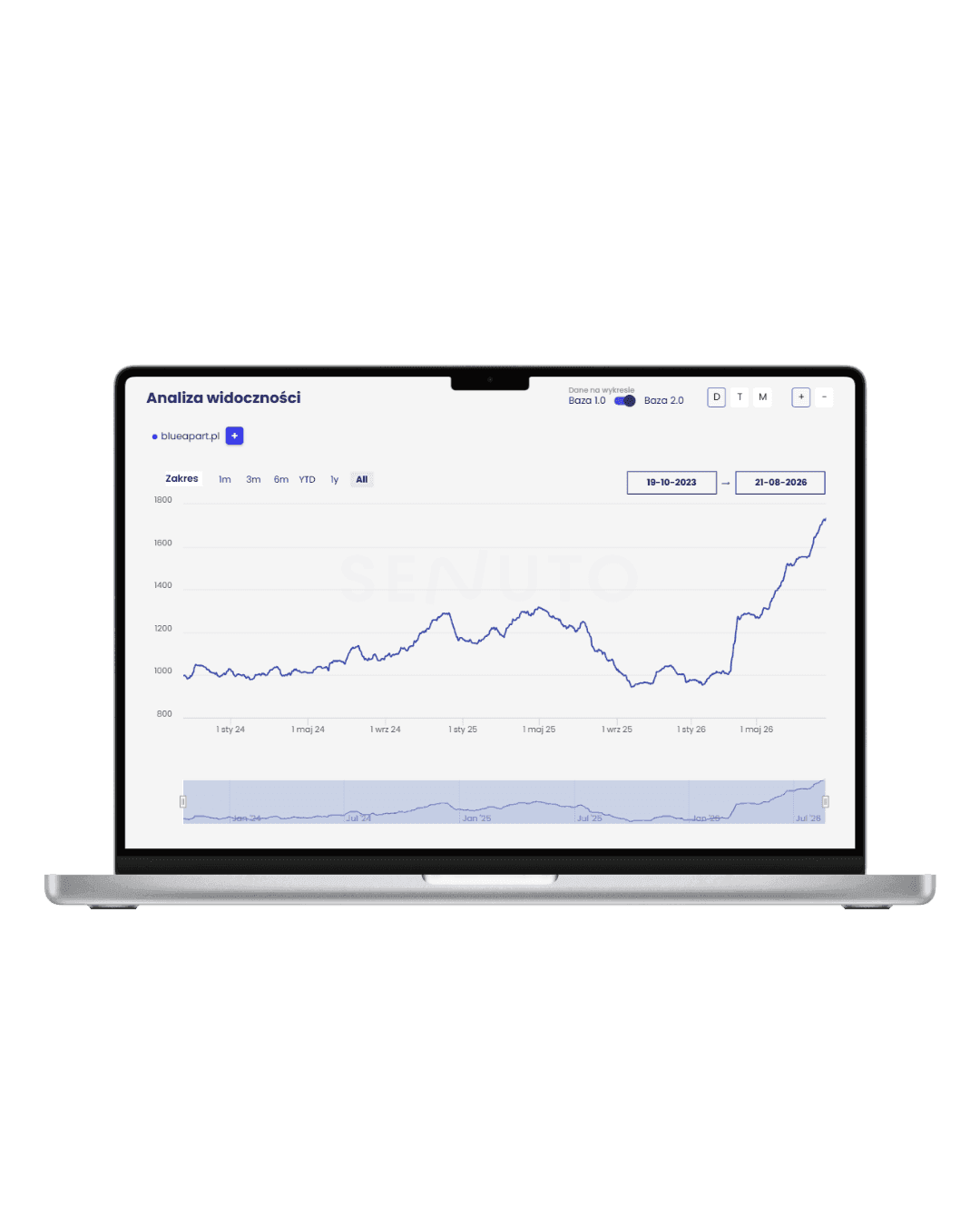
A live system → a new version, when all the traffic comes from search. The hardest variant, because there's no margin for error. BlueApart migrated its booking platform with more than 400 apartments, and after our migration it saw double-digit growth in organic visibility within a few weeks of launch. An old e-commerce platform → modern e-commerce with ERP, PIM and warehouse integrations. Mobile app → web (or the other way around). SkinApe moved to the browser with its accounts and business logic intact. A monolith → an architecture you can scale and deploy without holding your breath.Real Estate / PropTech
For developers, real estate agencies, rental operators and PropTech companies, we build systems that bring order to sales, rentals and property data.
Real Estate / PropTech ↗
FAQ
Questions we hear before a migration
- Yes. After major changes Google needs time to reprocess URLs and page content, so visibility may temporarily fluctuate. We reduce the risk through a thorough analysis of the existing site, correct URL mapping, 301 redirects and post-launch monitoring.
- Before launch we analyse existing URLs and the most important pages, prepare a URL map and redirects. After going live we check response codes, 404 errors, indexing and changes in organic traffic.
- Not always. In most projects we build and test the new environment in parallel, and plan the switchover to minimize downtime. The exact approach depends on the system's architecture.
- Yes. We agree on the data scope before the project starts. We can migrate users, products, orders, content and transaction history, or leave older data in an archive.
- Sometimes, but making many changes at once increases risk and makes it harder to diagnose issues. For more complex projects we often recommend completing the migration and stabilizing the system first, and then tackling the redesign or further development.
- It depends mainly on the size of the system, the number of integrations, the volume of data and the scope of technical changes. Once we've analysed the existing solution we can define the scope of work and prepare a migration plan.

Let's build digital products for your company together
Other services

Web Development
We design and build custom web applications - from an MVP that lets you quickly validate an idea to large platforms and systems developed over years. We build both the front end and the backend, APIs, databases, admin panels and integrations with external systems. We work with Next.js, React, Node.js, NestJS, Python, PostgreSQL and MongoDB, among others. We create solutions tailored to a specific business process: SaaS applications, internal systems, sales platforms, websites, marketplaces and CMS systems.
Learn moreUX/UI Design
We design UX/UI for web and mobile applications and B2B systems - from analyzing user needs and early wireframes to the finished interface and a design system in Figma. We don't design screens in isolation from the product. We look at user journeys, analytics data and technical constraints to create a solution that's easy to use and can be built efficiently. After the product launches, we can come back to heatmaps, session recordings, analytics and user interviews, so that the next changes are driven by data, not assumptions.
Learn moreE-commerce
We design and build online stores and e-commerce platforms tailored to your sales model and business processes. We work with off-the-shelf solutions as well as headless architecture and custom sales systems. We build e-commerce for B2C and B2B sales, large product catalogs, multiple markets and marketplaces. We integrate stores with ERP, WMS, CRM, PIM, payments and logistics, and design product configurators and custom purchase flows. We also take care of performance, technical SEO and preparing the platform for seasonal traffic peaks.
Learn more